Event Badge Printing · On-site Name Badge Kiosk
The badge prints the moment a guest checks in — no pre-printing, no handwriting, walk-ins included
Event badge printing is the on-site extension of our registration system. A guest scans the QR code or looks up their registration at the desk; on confirmation the badge printer outputs name, company and event visual on the badge. No pre-printing hundreds of badges to dig through, no handwritten stickers for late additions. The list comes from your Google Sheet, and check-in, badges, attendance and the lucky-draw list share one dataset.
- Print at scan, no pre-printing — The printer starts the moment a guest confirms check-in — name, company and visual in one pass
- Walk-ins get badges too — Unregistered guests enter name and company on their phone; the system records them and prints the same badge
- One dataset for list, check-in and draw — Guest list synced from Google Sheets, attendance written back live, lucky draw uses the same list
Overview: who it's for & what it solves
Event badge printing (on-site name badge kiosk) is a module of the Pixanity registration system: guests scan a QR code or look up their registration, and the badge printer outputs a badge with name, company and event visual on the spot; walk-ins are recorded and printed the same way. The list syncs from Google Sheets, multiple printers can share the queue, and check-in stats, badges and the lucky-draw list are one dataset. For conferences, launches, corporate Dinner and Dance (DND) and exhibitions in Singapore; islandwide, custom quote.
What is on-site event badge printing?
There are three ways to do event badges: pre-print everything and dig through the pile at the desk, hand-write stickers on the day, or print each badge at the moment of check-in. Pre-printing breaks the moment the list changes and leaves a stack of badges for no-shows; handwriting means uneven badges and VIPs holding a marker-pen sticker.
On-site printing merges check-in and badge into one step. The guest scans a QR code or looks up their registration by phone number or company at the desk; on confirmation the printer takes the job. The list syncs from your Google Sheet, walk-ins are created on the spot and printed in the same format, and several desks can each run a printer or share one.
Layouts are prepared in the printer’s designer before the event: background, name and company positions and font sizes are draggable, long names shrink automatically, and one event can carry VIP, media and crew layouts. After check-in the system can send guests to your official account or event page, and attendance is written back live for the lucky draw and follow-ups.
No queue at the desk, no digging through a pile of badges
The scene every conference dreads: a queue to the door, crew flipping through hundreds of pre-printed badges, and a late VIP handed a handwritten sticker. On-site printing removes all three — scan, confirm, badge out, under half a minute per guest, every badge identical.
2026 Pixanity showcase: a badge printed at check-in
Four steps, check-in and badge in one go
Guests do the first step; the system and crew do the rest.
Scan or look up
Guests scan the event QR code, or look up their registration at the desk by phone number or company; walk-ins enter name and company.
Confirm check-in
One tap confirms check-in; attendance and stats are written back live, and guests can be sent to your official account or event page.
Badge prints on the spot
The printer outputs name, company and event visual; several desks can split across printers, failed prints re-queue and badges can be reprinted by serial.
Lanyard on, walk in
Crew adds the lanyard and hands it over; the attendance list carries straight into the lucky draw and follow-ups.
Four reasons organisers switch to on-site printing
Fast check-in, no queue
Scan, confirm and print in one flow — no searching a pile, and late arrivals never block the desk.
Change the list up to the last minute
The list syncs from Google Sheets; swaps and additions the day before need no reprint, and no-shows leave no wasted badges.
Layouts follow your event visual
Background, fonts and positions are set in the designer; VIP, media and crew can have different layouts, all in one consistent format.
One system for the list
Check-in, badges, attendance stats and the lucky-draw list are one dataset — no reconciling Excel against a badge file.
On the floor
From the registration desk to the interactive zones, the badge goes with the guest.
From scan to lanyard — what it looks like on the floor
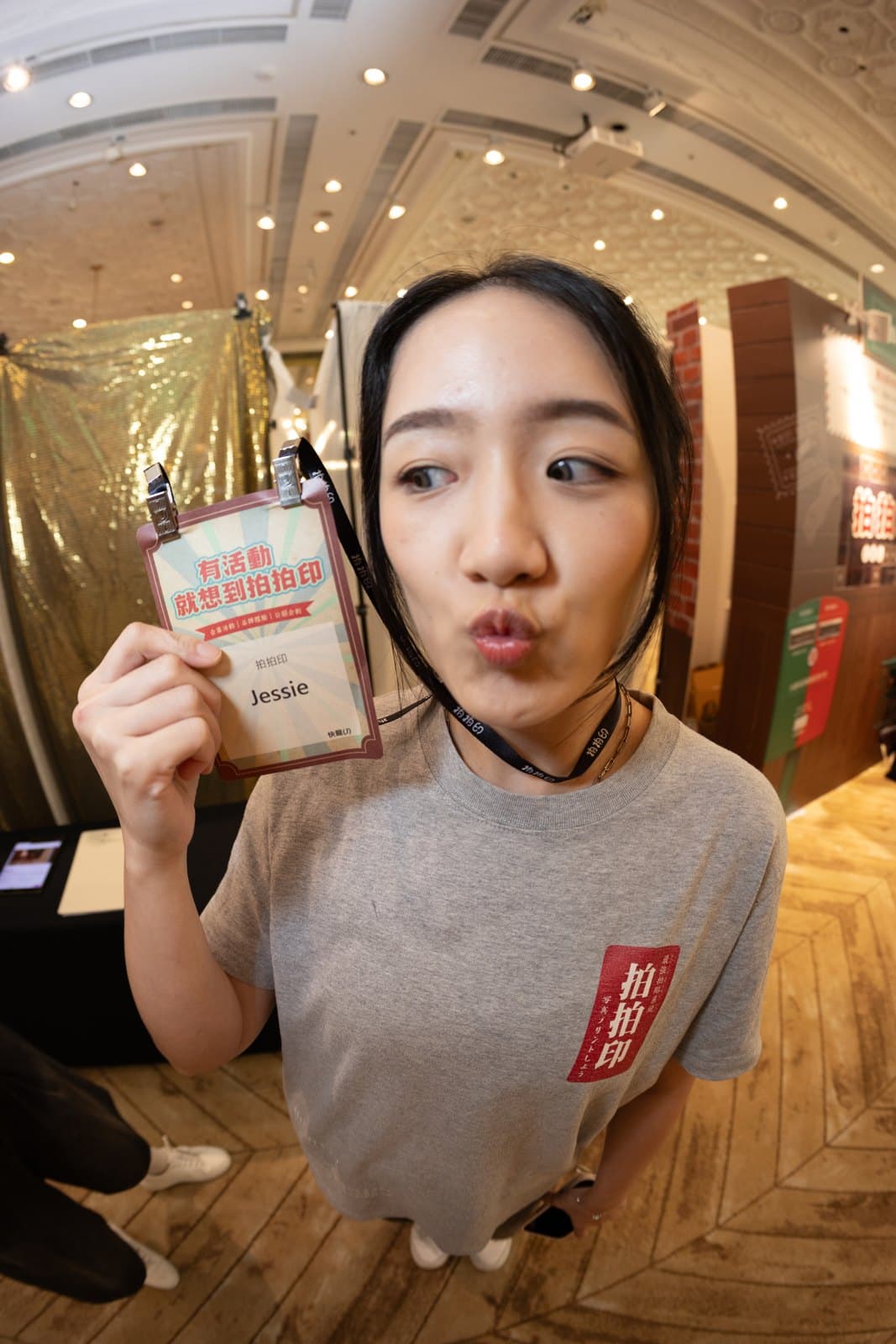
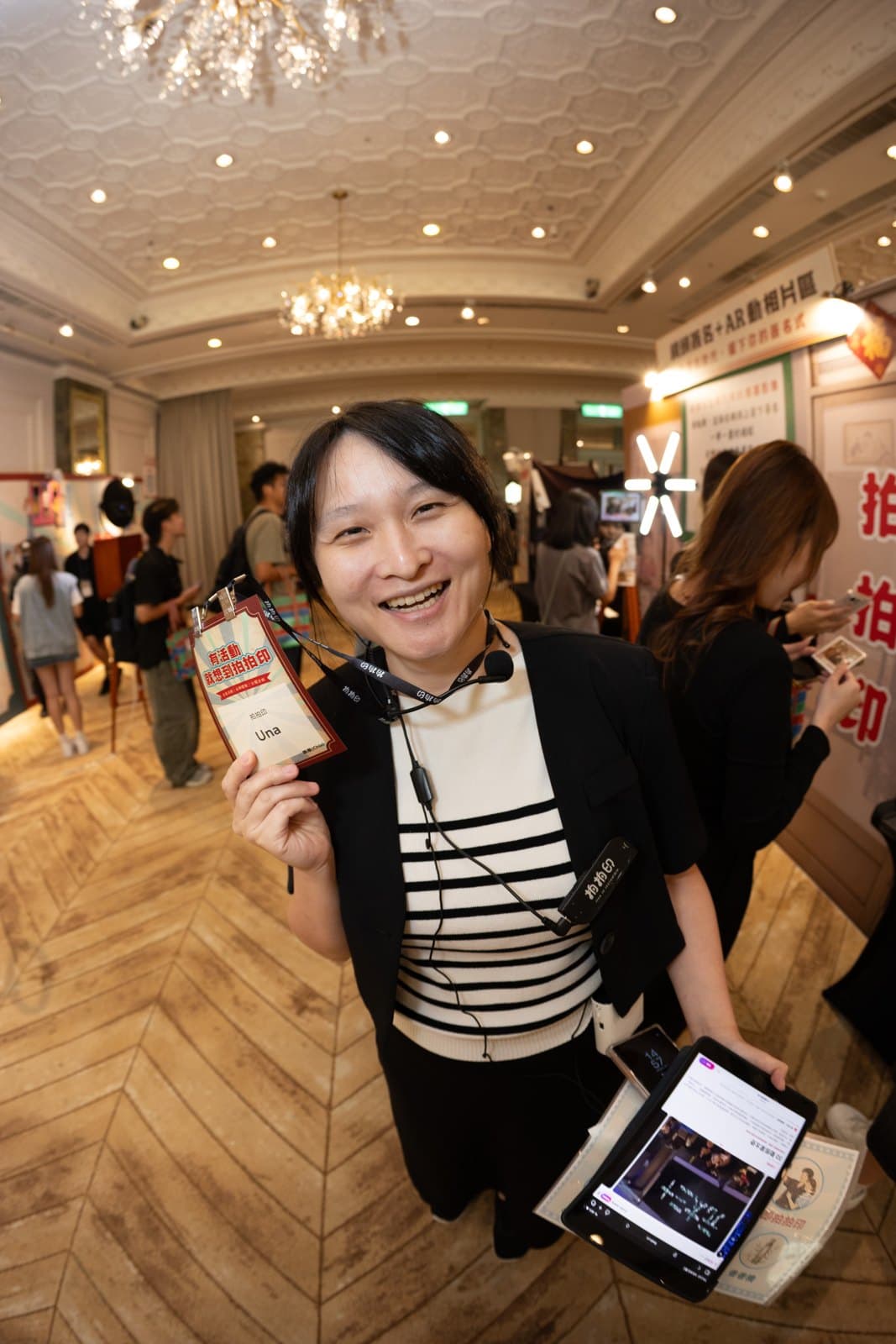
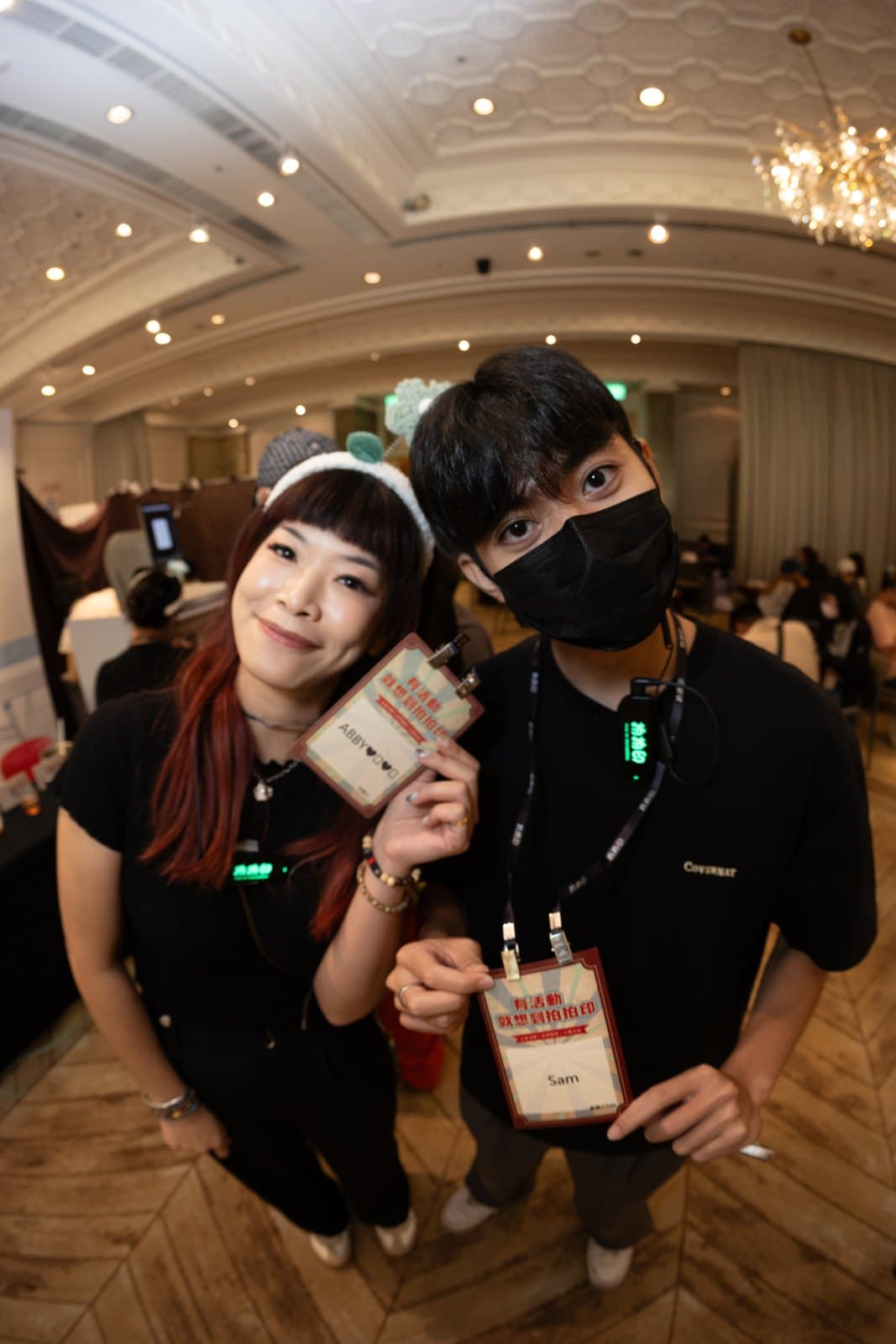
Photos from the 2026 Pixanity interactive showcase. Every badge in these shots was printed at the moment of check-in, not pre-printed.
Scan done, badge already in the tray
Guests scan the QR code or look up their registration on their phone at the desk; the moment they confirm, the printer starts. Name, company and event visual on one badge — the crew just slips on a lanyard.
Every badge carries the event visual
Layouts are set up before the event in the printer’s designer: background, font size and the position of name and company are draggable, and long names shrink to fit. VIP, media and crew can each have their own layout.
Walk-ins get a badge too
Guests who did not register fill in name and company on their phone at the desk; the system creates a walk-in record and prints the same badge format — no handwritten stickers next to printed badges.
Photographs from events we ran; all subjects consented to publication.
On-site printing, pre-printed badges or handwritten stickers?
The difference is list changes, walk-ins and consistency.
| Pixanity on-site badge printing | Pre-printed badges | Handwritten stickers | |
|---|---|---|---|
| Last-minute list changes | Synced from Google Sheets, editable up to event day | Every change is a reprint; late ones become handwriting | No impact, but everything is handwritten |
| Walk-in guests | Recorded on the spot, printed in the same format | Handwritten or blank badge only | Handwritten |
| Check-in speed | Scan, confirm, badge out — no searching | Crew searches the pile by name | Writing time plus queue |
| Consistency | Same layout and font on every badge; long names auto-shrink | Consistent except for late additions | Uneven handwriting |
| List and stats | Check-in, badge and lucky-draw list are one dataset | Separate sign-in sheet or Excel | Counted separately |
| Waste | Print only who shows up | A stack of badges for no-shows | Low |
| Best for | Conferences, launches, DND, exhibitions with a guest list | Small meetings with a fixed early list | Very small internal gatherings |
For a small meeting whose list is fixed early, pre-printing is fine. Once the list moves, walk-ins are expected or VIPs care about their badge, on-site printing is the format.
Service spec
- Check-in
- Guests scan a QR code (can run through the event official account) or look up by phone number / company at the desk; walk-ins recorded on the spot
- Guest list
- Synced from your Google Sheet; multiple sessions can share one sheet with a selected tab
- Printed content
- Name, company and event visual; layouts set in the designer, long names auto-shrink, multiple layouts per event
- Printers
- Single printer or several split by desk; failed prints re-queue, reprint by serial
- After check-in
- Optional redirect to your official account, event page or survey
- Write-back
- Attendance and stats written back live, with checked-in flags
- On-site needs
- One long table at registration, a standard power socket and internet
- Crew
- On-site crew included for setup, printing and desk support
- Coverage
- Islandwide across Singapore
How event badge printing is priced
Quoted per project by event date, venue, headcount, number of desks and printers, service hours and layout customisation. It can run alone or bundled with the registration system, RFID wristbands and the lucky draw. WhatsApp us your date and headcount for a quote within a day.
- Event date and venue
- Headcount and number of desks / printers
- Number of layouts and customisation
- Bundling with registration, lucky draw or stamp rally
Why work with us
- Our own registration system and badge-printer software: scan, record, print and write-back are one backend, not stitched-together tools
- Our 2026 interactive showcase ran entirely on this system — every badge printed live
- Guest lists sync from Google Sheets, so you manage the list in the sheet you already use
- Shares one guest list with the registration system, RFID wristbands, digital signature wall and lucky draw
- Islandwide with on-site crew
Frequently asked
A registration system handles scan-in and stats; on-site badge printing adds the badge to that step, so the printer outputs the badge the moment a guest confirms — walk-ins included. List, stats and badges share one dataset.
Quoted per project by date, venue, headcount, number of desks and printers, hours and layout customisation; usually bundled with the registration system or lucky draw. WhatsApp us your date and headcount for a quote within a day.
Share a Google Sheet and the system syncs it. Swaps and additions before the event are simply edits to the sheet — no reprints. Several sessions can share one sheet with selected tabs.
They enter name and company on their phone at the desk; the system creates a walk-in record and prints the same badge format as pre-registered guests.
Yes. Background, the positions of name and company, and font sizes are adjustable in the designer; long names shrink automatically, and one event can carry VIP, media and crew layouts.
Scan, confirm and print is one continuous flow, under half a minute per guest. For large crowds, each desk can run its own printer or several desks can share one queue.
Yes. Failed prints return to the queue, and any badge can be reprinted by its serial number.
One long table at registration, a standard power socket and internet. We bring the printers, consumables and lanyards, with crew for setup and printing.
Yes, and it often does. The guest list is shared, so badges or wristbands both record attendance, and the lucky draw uses the attendance list directly.
Where we operate
Islandwide across Singapore — CBD hotels and convention venues, Sentosa, Changi and Jurong included. Quotes cover transport and load-in conditions.
Often booked together
Want a queue-free desk with badges printed on the spot?
Send us your event date and headcount and we will draft a badge layout first.
Start planning